> For the complete documentation index, see [llms.txt](https://help.docexport.com/llms.txt). Markdown versions of documentation pages are available by appending `.md` to page URLs; this page is available as [Markdown](https://help.docexport.com/features/conditional-actions.md).
# Conditional Actions
Generate documents based on a condition. Example: Create course certificates with individual templates for different course types on the same board.
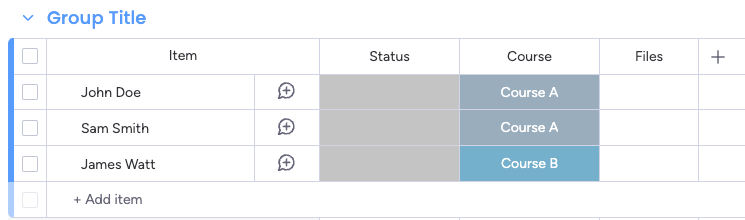
In the following example, we want to create course certificates based on the course type. Each course type has a different template.
### **Setting up the recipes**
1. Generate an [Item-level](/getting-started/item-level-template.md) document and go to 'Actions/Automations' to define an action.
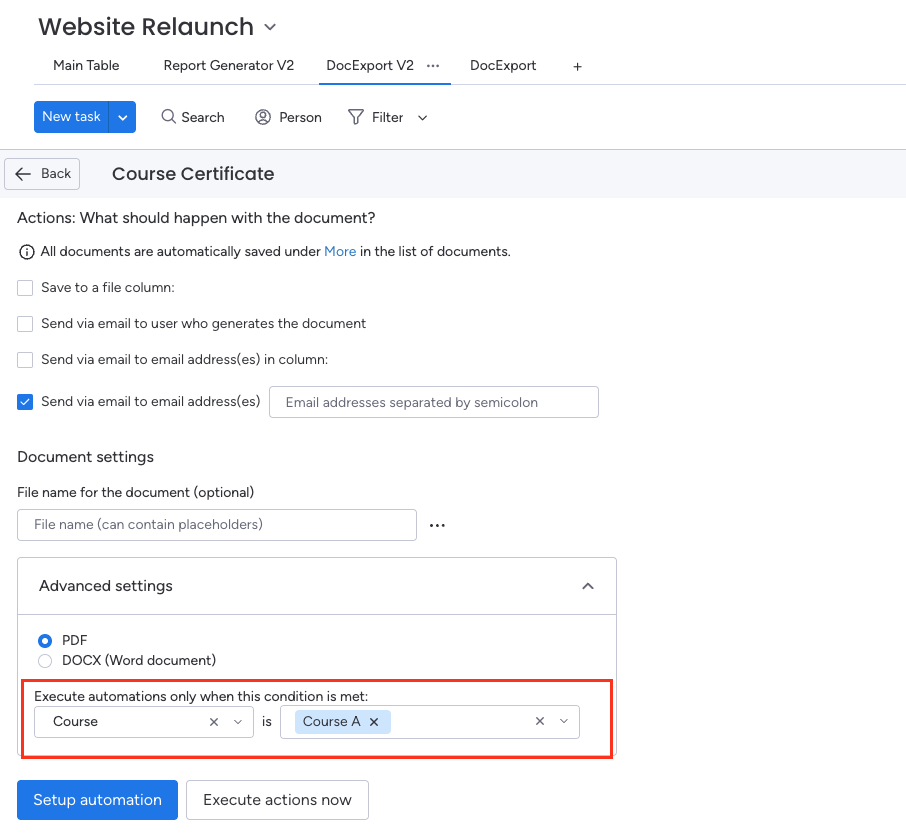
2. When defining the actions for your automation, click on 'Advanced settings' and select the status column for the condition.\
In our example, the status column is called 'Course', and the label is 'Course A'\
Note: Currently, only the 'Status' column is supported.
3. We only want to execute the automations/integrations for this action when this condition is met
4. Repeat the steps for the other conditions (e.g. Course B, Course C,...) as well
### **One action per condition**
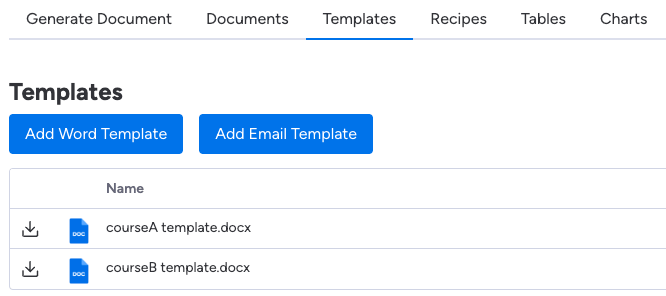
The end result is one template and one action/automation per condition.
**List of templates:**
### **Set up the automations/integrations**
The last step is to set up the [automations](https://help.docexport.com/features/automations) to trigger the actions.
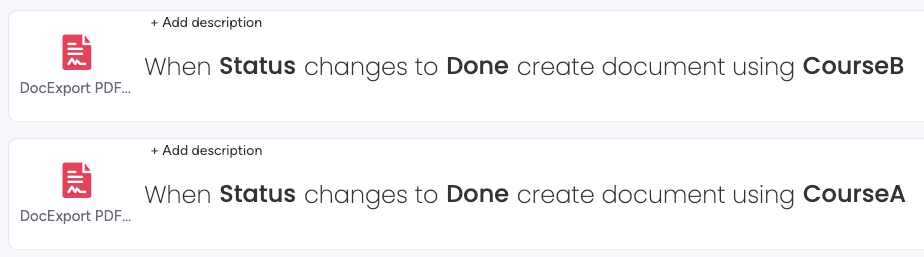
In our example, we want to trigger the automation as soon as the status changes to 'Done'.
We need one automation per recipe: